Lost an AirPod or the case? How to replace the right part
It happens to most of us at some point. One earbud slips out on the bus, or the case gets left behind at a cafe. Before you buy new AirPods: often it's enough to replace just the missing part. Here's the order we recommend.
Want help right away? Email info@linneelektronik.com with your model or a photo of the earbud or case, and we'll help you find the right part. If you bought your AirPods from us, your order number is all we need.
Buy now

The short answer
- Start by searching with Find My. You can play a sound on one earbud at a time.
- Work out your model. A case only fits certain generations.
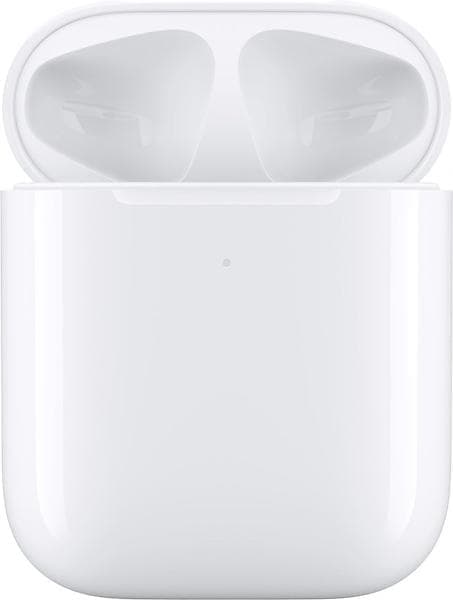
- Case for AirPods 1 and 2: we sell Apple's wireless charging case.
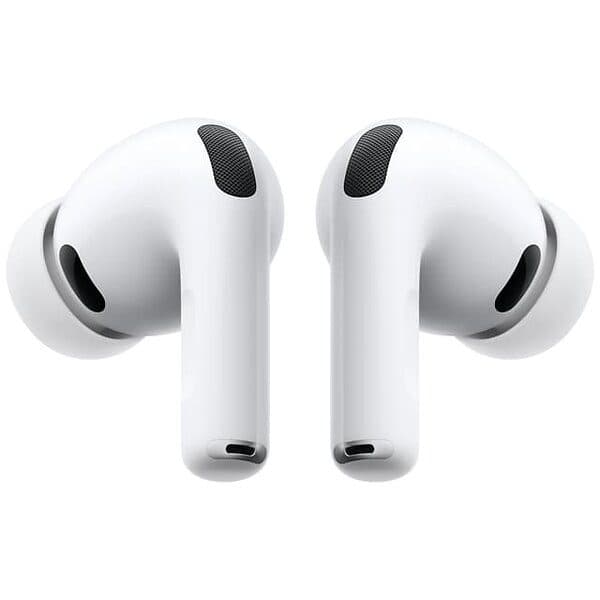
- A single earbud can be replaced by Apple for a fee through their support.
- Something broken on AirPods bought from us? That's a warranty claim, not a new purchase. Read more below.
1. Search with Find My before you buy anything
AirPods show up in the Find My app on iPhone, iPad and Mac, and at icloud.com/find.
- Open Find My, select Devices, then your AirPods.
- Tap Play Sound. If the earbuds are in different places, tap Left or Right to mute one and search for them one at a time.
- On AirPods 4 with Active Noise Cancellation, AirPods Pro 2 and AirPods Pro 3 you can also play a sound in the case. This works from the app but not from icloud.com.
- Can't find them? You can mark them as lost.
2. Work out which model you have
A charging case doesn't fit every generation. Here's how to find the model number:
- On iPhone: go to Settings, Bluetooth, tap the (i) next to your AirPods.
- On the earbud itself: the model number is printed on the underside of each AirPod and starts with A.
| Model | Earbuds | Charging case |
|---|---|---|
| AirPods (2nd generation) | A2032, A2031 | A1602 (Lightning), A1938 (wireless) |
| AirPods (3rd generation) | A2565, A2564 | A2897 (Lightning), A2566 (MagSafe) |
| AirPods 4 | A3053, A3050, A3054 | A3058 |
| AirPods 4 with Active Noise Cancellation | A3056, A3055, A3057 | A3059 |
| AirPods Pro 2 (Lightning) | A2931, A2699, A2698 | A2700 |
| AirPods Pro 2 (USB-C) | A3047, A3048, A3049 | A2968 |
| AirPods Pro 3 | A3063, A3064, A3065 | A3122 |
The model numbers come from Apple's support page "Identify your AirPods" (checked 12 November 2026).
3. Which case fits?
- AirPods 1 and 2: Apple's wireless charging case (A1938) works with both generations, according to Apple. We stock this case.
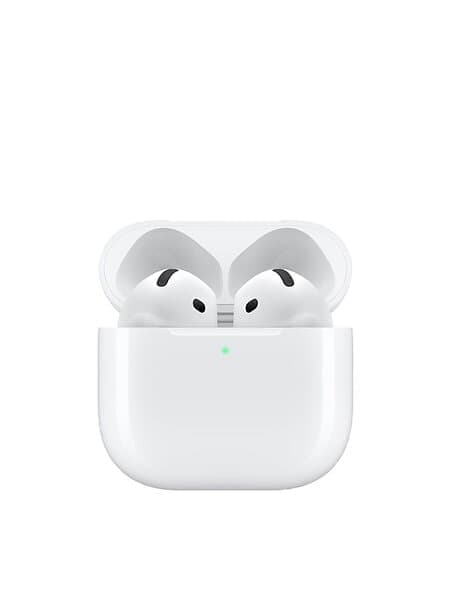
- AirPods 4: the case for AirPods 4 only fits AirPods 4, and the case for AirPods 4 with Active Noise Cancellation only fits that specific model. Apple explicitly states they don't work with other earbuds.
- AirPods Pro 2 and Pro 3: Apple doesn't state that cases can be mixed between versions. Get in touch before you buy, and we'll check for you.
Products in this guide
The case charges wirelessly with a Qi charger or via a Lightning cable.
4. A single earbud: Apple's replacement service
Apple sells replacement earbuds and replacement cases for most models for a fee. You order through Apple's support page, in an Apple Store, or at an authorised service provider. According to Apple's Swedish price list in November 2026, a replacement earbud costs the equivalent of SEK 895 for AirPods 2, 3 and 4, and the equivalent of SEK 1,165 for AirPods Pro 2 and Pro 3. Check the current price with Apple, as it may change, and shipping may be added.
Compare this with the price of new AirPods before you decide. If you're missing an earbud for older AirPods, it can be worth buying new ones instead, especially if the battery in the remaining earbud is already wearing down. We compare which AirPods suit you best in Which AirPods are best in 2026?.
Products in this guide
AirPods 4 ships without a charging cable. If you don't already have a USB-C cable at home, you'll need one.
Products in this guide
5. Pairing a new earbud or a new case
Here's what Apple recommends when a replacement part arrives:
- Place both earbuds in the case, connect power, close the lid and wait 20 minutes.
- Open the lid. If the light flashes white, you can skip to the last step.
- Otherwise, reset the case. On AirPods 1 to 3 and Pro 1 to 2, hold down the button on the back for about 15 seconds, until the light flashes amber and then white. On AirPods 4 and Pro 3, double-tap the front of the case three times and follow the light.
- Go to Settings and Bluetooth on your iPhone and select "Forget This Device" if your AirPods are already in the list.
- Open the lid near your iPhone and tap Connect.
The software on the earbuds updates automatically while charging near an iPhone.
Bought AirPods from us and something's broken?
That's a warranty claim, not a new purchase. You have a statutory warranty of at least 2 years under EU consumer law (the consumer law in your country applies). A fault that appears within the first 12 months is presumed to have existed at delivery, and we cover the return shipping once the claim is approved. For Apple products we work with Care1, an authorised Apple service provider.
- Report the fault via the customer service page or email info@linneelektronik.com with your order number and a description.
- A lost earbud or a lost case doesn't count as a fault. In that case, follow the steps above instead.
- In-ear headphones are considered hygiene items. Once the seal is broken, they can't be returned under the right of withdrawal. The statutory warranty still applies as normal.
More on what applies can be found in Parallel imports and warranty.
Frequently asked questions
Can I buy just one AirPod? Yes, through Apple's replacement service for a fee. We don't sell single earbuds.
Can I buy just the charging case? Yes. For AirPods 1 and 2 we stock Apple's wireless charging case. For newer models, the replacement case goes through Apple.
Does an AirPods 4 case work with older AirPods? No. According to Apple, the case for AirPods 4 only fits AirPods 4 earbuds.
Can I find an earbud that's outside the case? Yes, if it's within Bluetooth range of one of your devices, you can play a sound on it using Find My.
Will you help me even if I didn't buy my AirPods from you? Yes. Email info@linneelektronik.com with your model, and we'll tell you which part fits.
Published 2026-11-12 · Linné Elektronik
Join the Customer Club and we will email you when there are new videos and guides, along with our offers.